



Reprint PAN Card Online 2026
A "Reprint PAN Card" service allows individuals to obtain a duplicate physical copy of their Permanent Account Number (PAN) card if it has been lost, damaged, or stolen. This process provides you with a new card containing the exact same details as your original one, ensuring you have a valid physical ID without changing your permanent PAN number.
In 2026, the process is fully digital. You can request a reprint through the two official service providers: NSDL (Protean) or UTIITSL.
Requirements for PAN Reprint
Before you begin the application, ensure you have the following information and facilities ready:
Step-by-Step Guide: Reprint PAN via NSDL (Protean)
If your original PAN was issued by NSDL (now Protean), follow these detailed steps to order your duplicate card:
Step 1: Visit NSDL Portal & Enter Details
Go to the official NSDL Reprint page. You will see a form asking for your details. Enter your PAN Number, Aadhaar Number, and Month & Year of Birth. The GST field is optional.
 Fill in your PAN, Aadhaar, and Birth Month/Year.
Step 2: Verify & Generate OTP
After submitting the form, you will see a summary of your contact details registered with the IT Department. Verify these details. Check the declaration box and click on the "Generate OTP" button to receive a code on your Aadhaar-linked mobile.
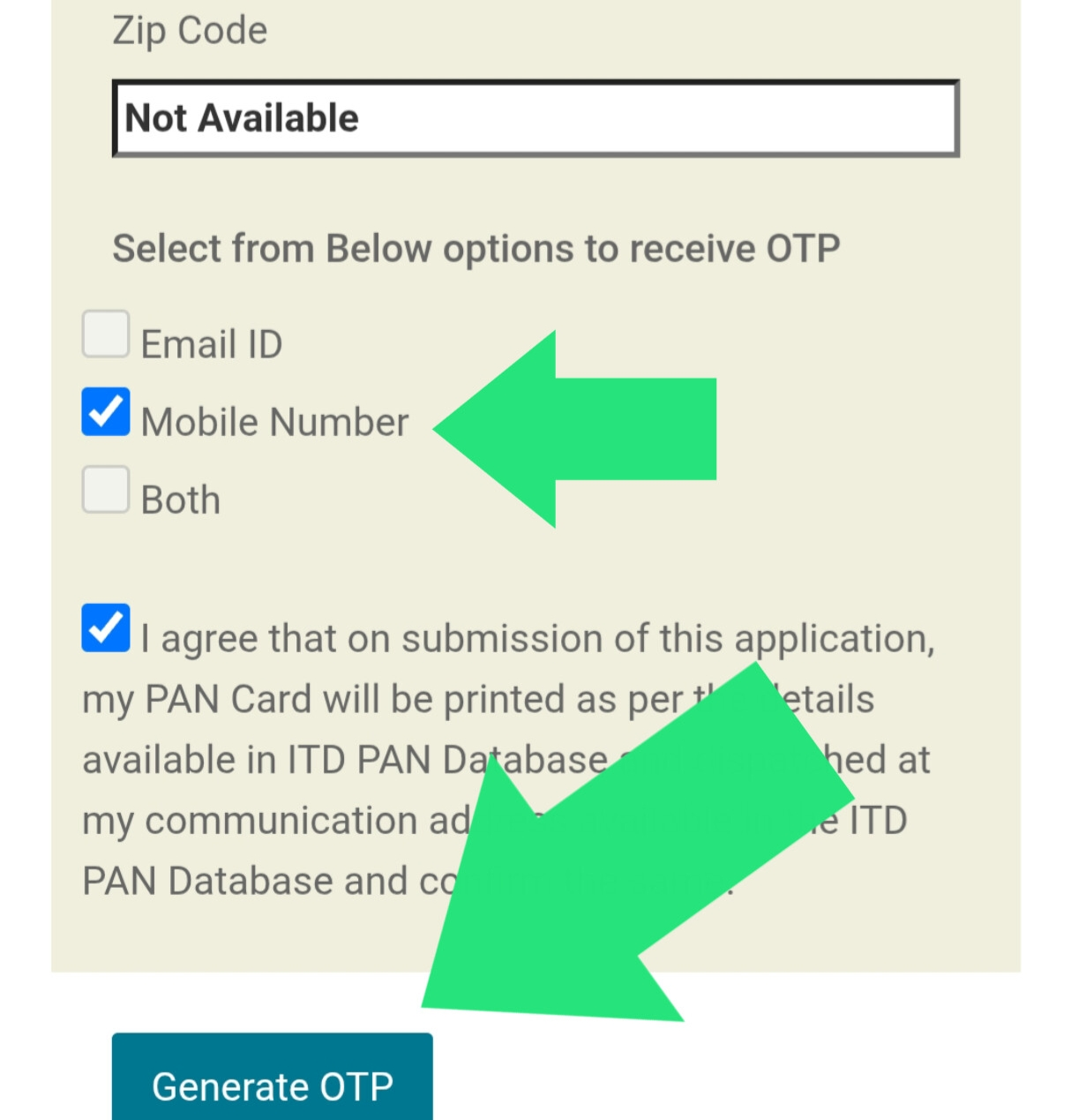 Verify your details and click Generate OTP.
Step 3: Enter OTP Verification
Check your mobile phone for a 6-digit One Time Password (OTP). Enter it in the provided box and click "Validate". This confirms your identity.
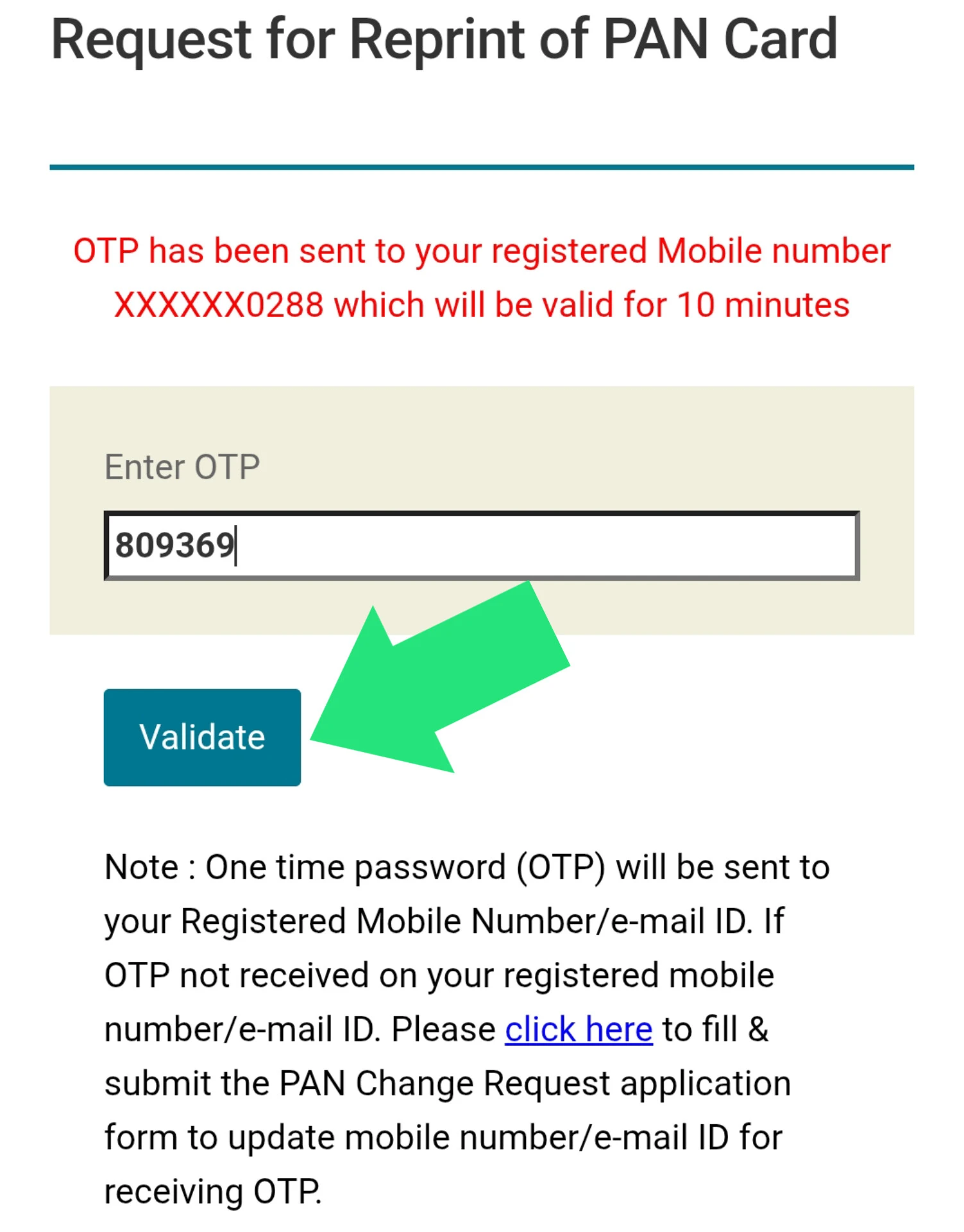 Enter the 6-digit OTP sent to your registered mobile.
Step 4: Select Payment Method
Once verified, you will be redirected to the payment gateway. You can choose "BillDesk" or "Paytm". Select your preferred mode and proceed.
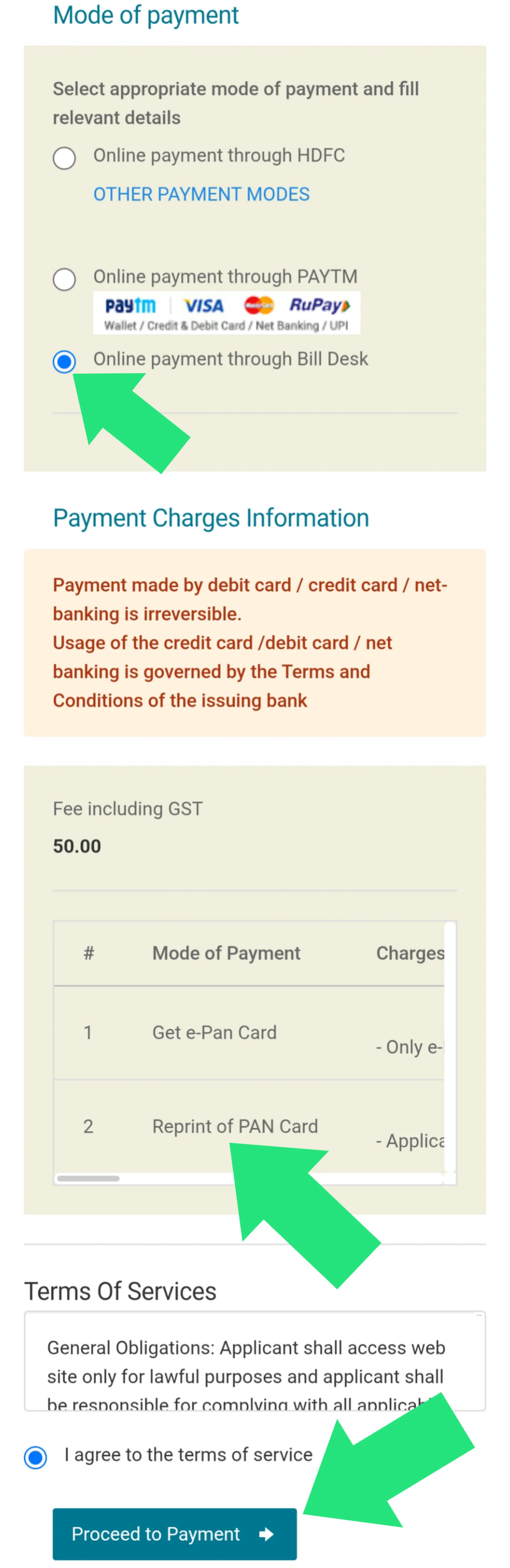 Choose a payment gateway (e.g., BillDesk) to proceed.
Step 5: Complete Payment & Save Receipt
Pay the fee of ₹50 using UPI, Credit/Debit Card, or Net Banking. Upon success, you will see a "Transaction Successful" message. Note down the Acknowledgement Number shown on the receipt; you will need this to track your card's status.
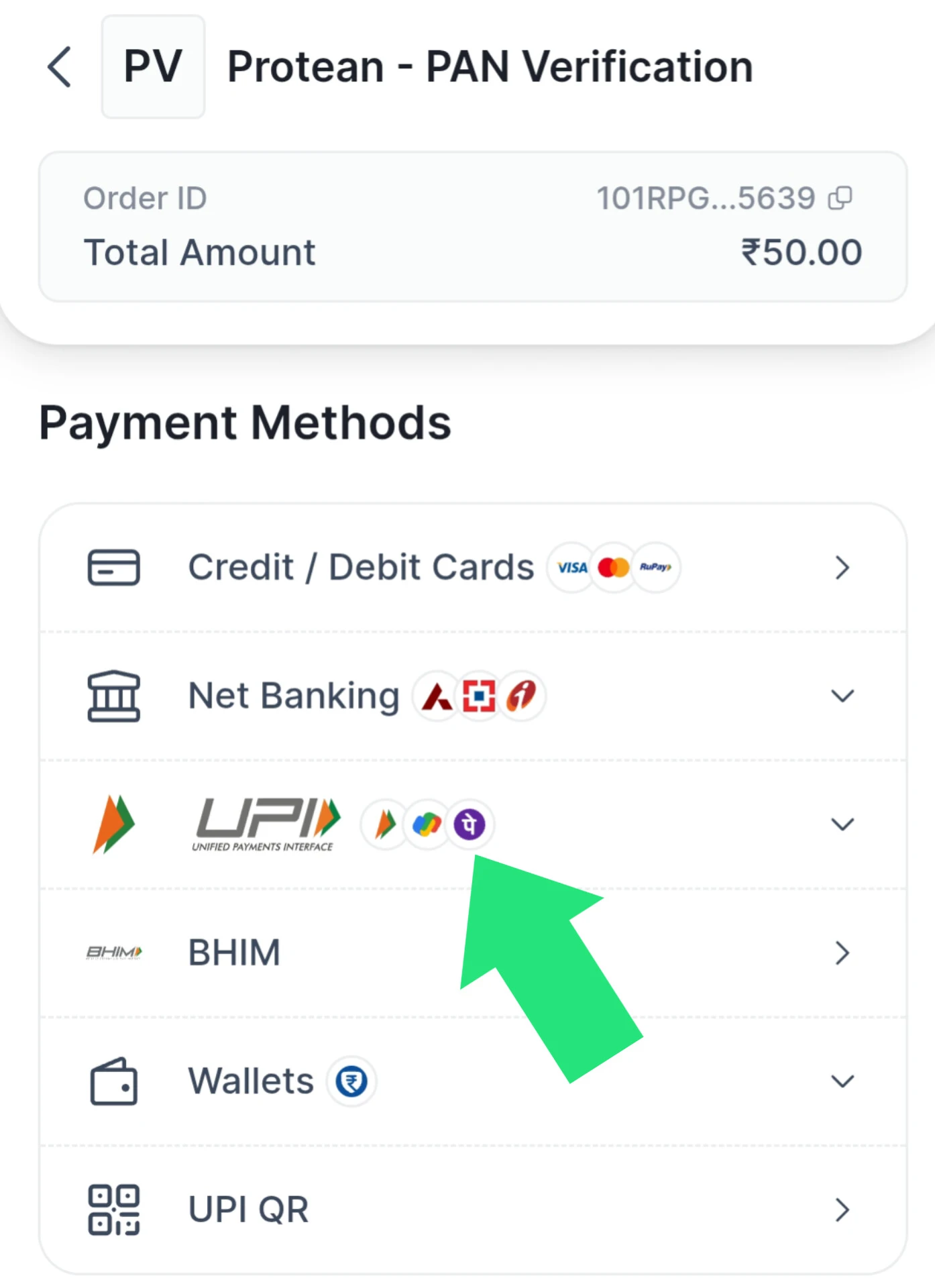 Save your Acknowledgement Number for tracking.
Step-by-Step Guide: Reprint PAN via UTIITSL
If your PAN was issued by UTIITSL, the process is slightly different. Follow this guide:
UTIITSL Application Process
- Visit Link: Click the UTIITSL button at the top of this page.
- Enter Info: Input your PAN, Aadhaar, and Date of Birth.
- Captcha: Enter the security code displayed.
- Verification: You will be asked to verify via OTP sent to your linked mobile/email.
- Payment: Complete the payment of ₹50.
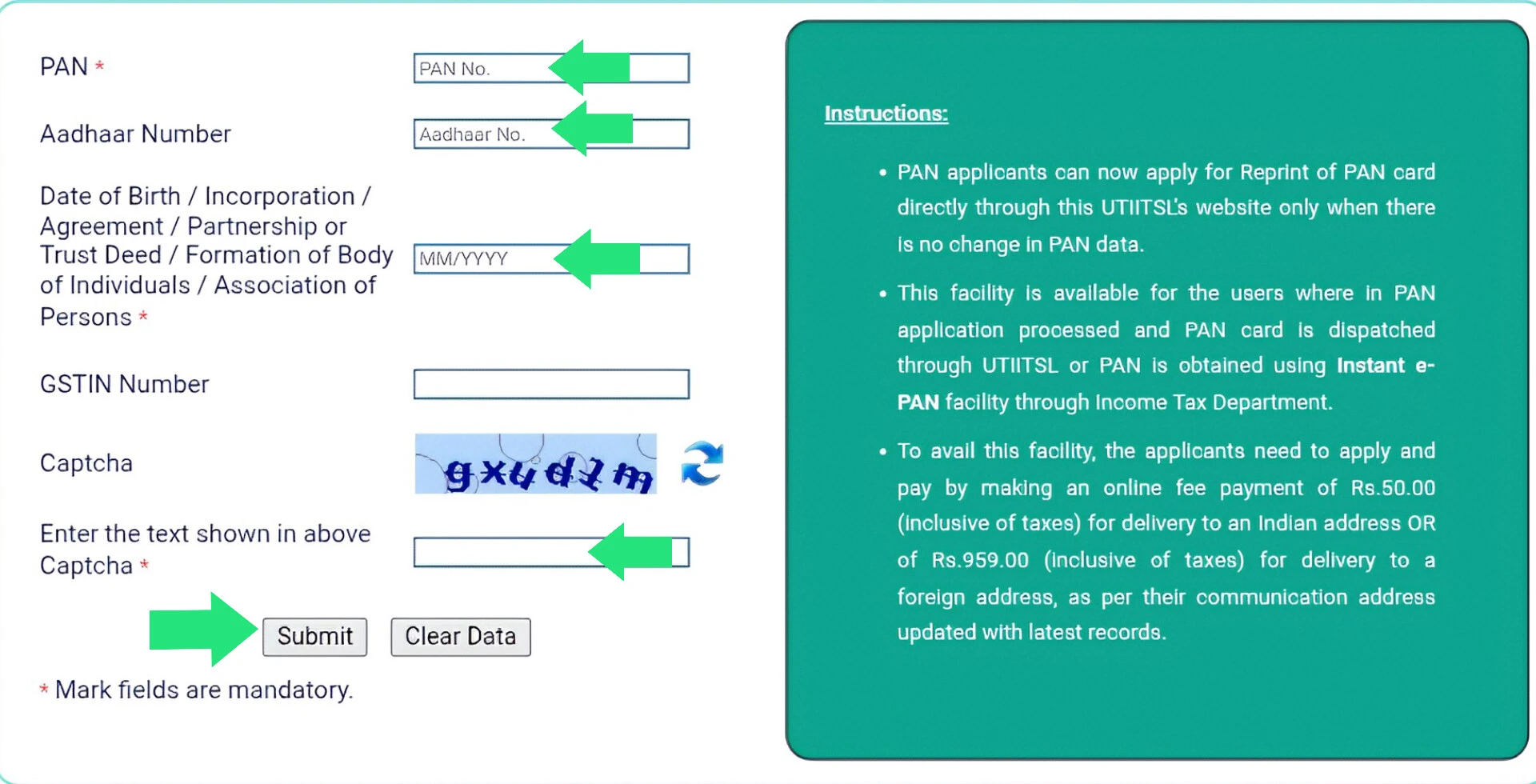 UTIITSL Reprint Application Interface.
PAN Reprint Fees Structure (2026)
The government has standardized fees for reprinting a PAN card. These fees apply regardless of whether you use NSDL or UTIITSL:
| Dispatch Location | Fees (Inclusive of GST) |
|---|---|
| Within India | ₹50.00 |
| Outside India (Foreign Address) | ₹959.00 |
Frequently Asked Questions
How long does it take to receive the reprinted PAN card?
It typically takes 15 to 20 working days for the card to reach your registered address via India Post Speed Post.
Can I change my photo during the reprint process?
No. A "Reprint" request uses the existing photo and signature from the database. To change your photo, you must apply for a "Correction" in PAN data.
What if I don't remember my PAN number?
You cannot use the reprint service without your PAN number. You can try to find it on old tax returns, bank statements, or use the "Know Your PAN" facility on the Income Tax e-Filing portal.
Official PAN Card Helpline Contacts
If you face technical issues during the reprint process or payment failures, you can contact the service providers directly: