You can check your PAN card application status easily through multiple methods. Whether you have applied online or offline, you can track it using your 15-digit acknowledgement number, via SMS, by calling customer care, or even through WhatsApp.
Quick Offline Methods
If you don't want to visit the website, use these instant methods mentioned in the official guide:
Check by Call
You can track your status by calling the TIN call centre. You will need to provide your 15-digit acknowledgement number to the executive.
- 020-27218080 (7:00 am to 11:00 pm, All 7 days)
- 08069708080 (24 hours)
Check by SMS
Open your SMS app and send a message to 57575 in the following format:
NSDLPAN <15-digit acknowledgement number>Example: If your number is 097250157497256, type NSDLPAN 097250157497256 and send to 57575.
Check via WhatsApp
You can also track your application via the official WhatsApp service:
- Save 8096078080 in your contacts.
- Open WhatsApp and send a message saying 'Hi'.
- Select 'Yes' to receive emails/SMS from Protean.
- Click on 'Services' > 'Status of Application'.
- Select 'PAN Application' and enter your 15-digit Ack Number.
Check Status Online
You can check the status on the official NSDL (Protean) or UTIITSL websites. Choose your provider below:
Process for NSDL Website
- Visit the official TIN NSDL website.
- Select application type as ‘PAN – New/Change Request’ from the drop-down menu.
- Select ‘Acknowledgement Number’, enter your number, captcha code, and click ‘Submit’.
 NSDL Tracking Interface
Process for UTIITSL Website
- Visit the UTIITSL website and click on 'Track PAN Card'.
- Enter the Application/Coupon number OR PAN Number.
- Enter Date of Birth and Captcha. Click 'Search'.
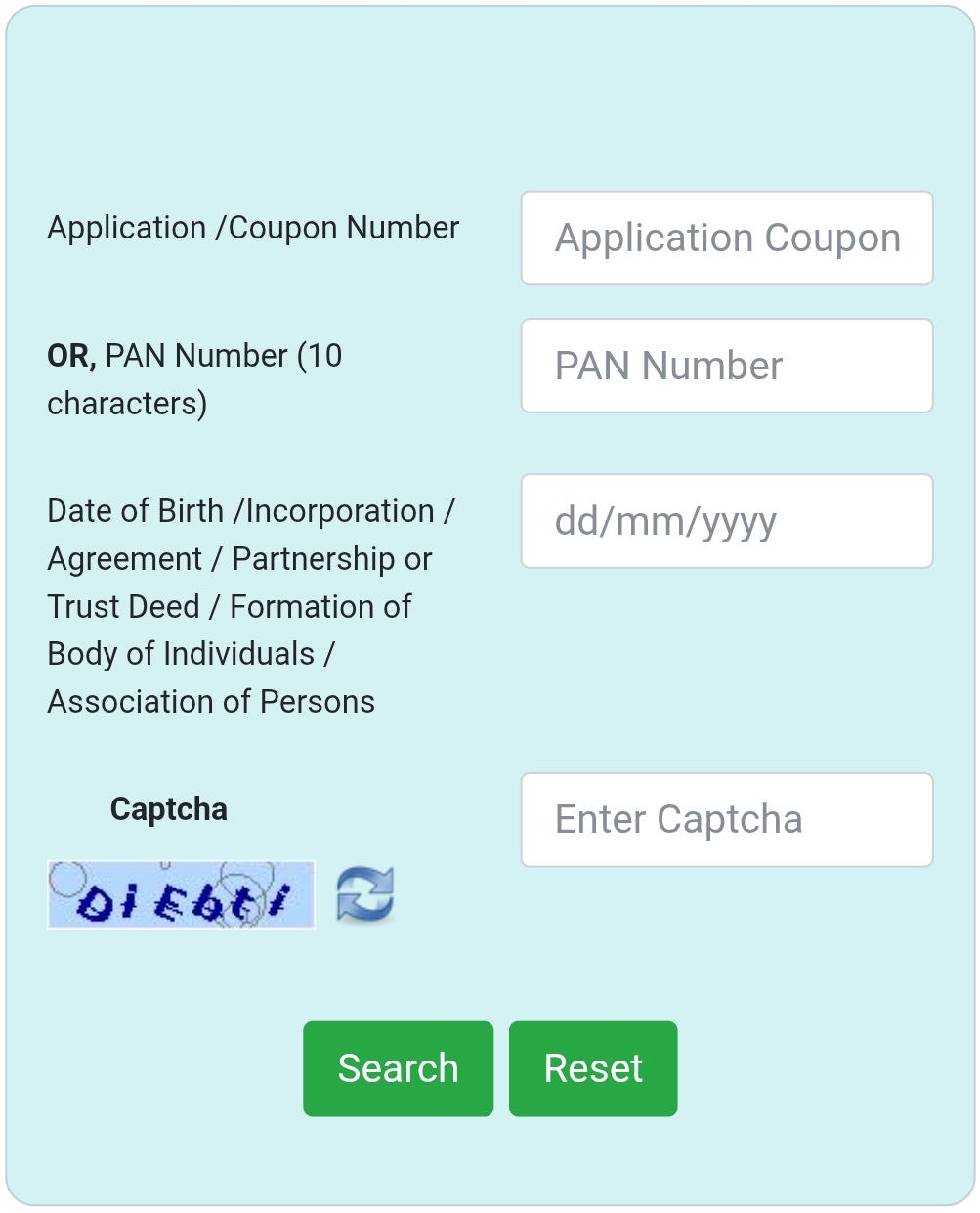 UTIITSL interface for tracking via Coupon or PAN number.
Check Without Acknowledgement Number
If you have lost your Coupon number/Acknowledgement number but applied for a Correction or Reprint through UTIITSL, you can track your status using your **PAN Number and Date of Birth**.
Steps to Track by PAN & DOB (UTIITSL)
- Visit the UTIITSL Tracking Portal using the link above.
- In the first field, instead of the Coupon Number, enter your 10-digit PAN Number.
- Enter your Date of Birth (DD/MM/YYYY) in the second field.
- Enter the Captcha code shown.
- Click Submit to view your current application status.
Note: This method works best for Correction and Reprint applications where the PAN number is already generated.
Check Payment Status
When you complete your online payment for a PAN application, you can check the transaction status:
- Visit the Protean (NSDL) website.
- Click on ‘Services’ and select the ‘PAN’ option.
- Click ‘Apply Now’.
- Scroll down and click on the ‘Know Status of Your Credit Card/ debit card/ net banking transaction for online application’ tab.
- Select ‘Transaction Number’ or ‘Acknowledgement Number’ and enter the details.
- Enter your Name and Date of Birth and click ‘Show Status’.
Other Essential Services
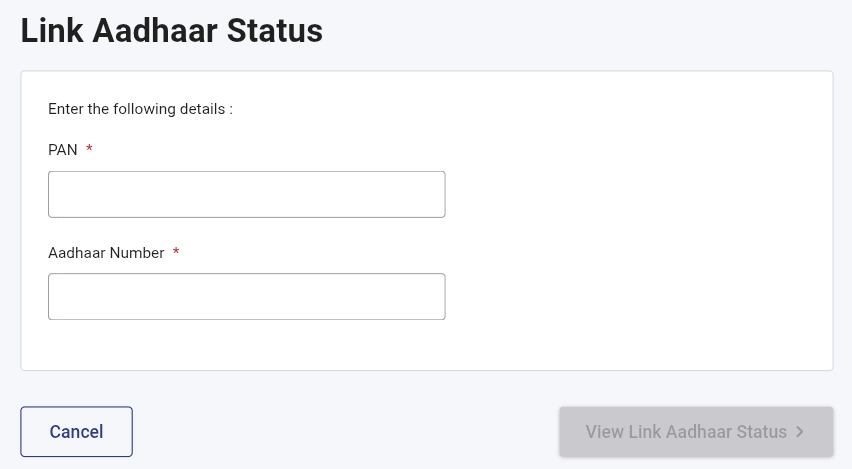
Check Aadhaar-PAN Link Status
To check if your PAN is successfully linked with your Aadhaar number, follow these steps:
- Visit the Income Tax e-Filing portal using the button below.
- Click on ‘Link Aadhaar Status’ under the Quick Links section.
- Enter your PAN and Aadhaar Number in the respective fields.
- Click on ‘View Link Aadhaar Status’ to see the result.
Instant e-PAN Status Check
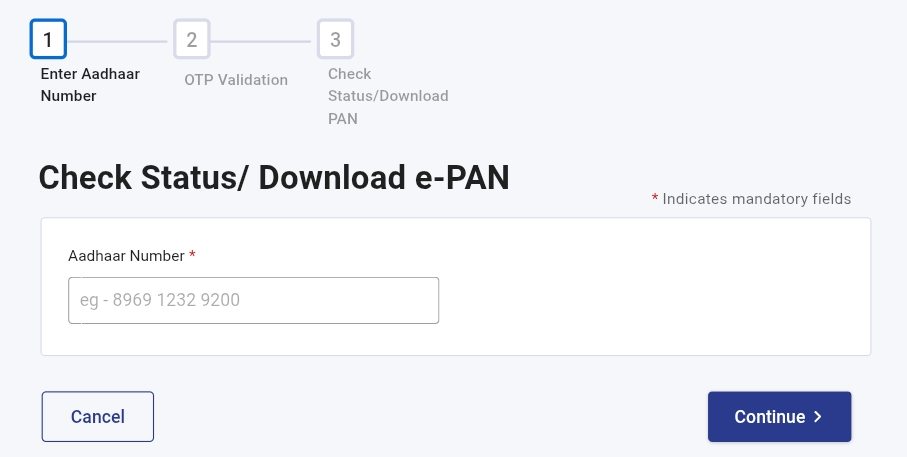
If you applied for a new PAN using the Instant e-PAN facility (via Aadhaar), track it here:
- Visit the Income Tax e-Filing website.
- Click on ‘Instant e-PAN’ and then select the ‘Check Status/Download PAN’ tab.
- Enter your Aadhaar number and click 'Continue'.
- Enter the OTP sent to your registered mobile number.
- View current status or download the PDF file.
How to Track PAN Card Delivery
Once your PAN card application is processed, you will receive a message of dispatch with a Consignment Number (e.g., EA123456789IN).
India Post Tracking Steps
- Step 1: Visit the India Post Tracking website.
- Step 2: Enter the Consignment Number in the provided box.
- Step 3: Enter the captcha code and click ‘Track Now’.
- Step 4: The real-time location of your PAN card will be displayed.
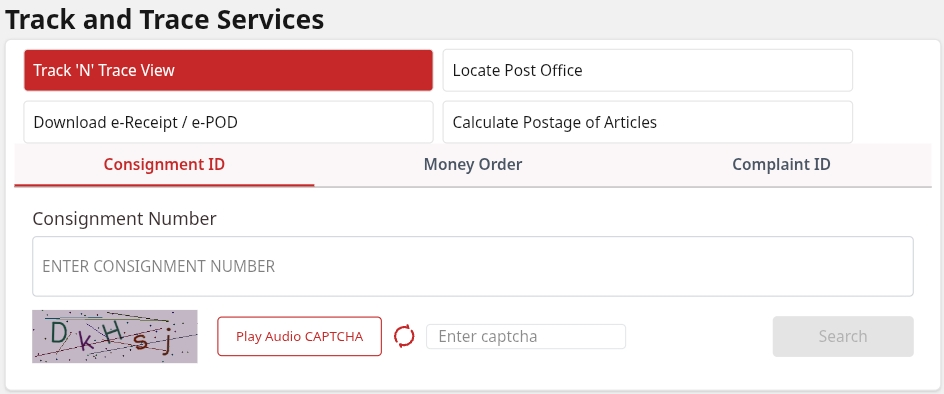 India Post Tracking Interface
Status via Mobile App
You can also check status easily through mobile apps. Download the ‘TIN-NSDL PAN’ app or ‘UTI PAN Card Services’ app from the Google Play Store or Apple App Store.
Steps to track via App:
- Open the app and login.
- Select the ‘Track PAN Status’ option from the dashboard.
- Enter your Acknowledgement Number (for NSDL) or Coupon Number (for UTIITSL).
- Click submit to view the status instantly on your mobile screen.
Official Helpline Numbers
NSDL (Protean)
Phone: 020-27218080
Email: tininfo@proteantech.in
UTIITSL
Phone: 033-40802999
Email: utiitsl.gsd@utiitsl.com