Download Aadhaar Card Online 2026
Aadhaar is a 12-digit unique identity number issued by UIDAI. The e-Aadhaar is a digitally signed, password-protected electronic version of the Aadhaar card, which is as legally valid as the physical card. In 2026, UIDAI has streamlined the process, offering multiple ways to access your card including Login-based dashboard access, Face Authentication, and simplified PVC ordering.
Requirements for Download
Before proceeding, ensure you have the following ready:
Method 1: Login & Download (Highly Recommended)
This is the best method as it gives you access to the full myAadhaar dashboard where you can check your document update status and bank linking.
Go to myAadhaar Login PageStep 1: Visit myAadhaar Login Page
Click on the button above. Click on the Login button on the UIDAI homepage.
Step 2: Enter Credentials
Enter your 12-digit Aadhaar Number and the Captcha code appearing on the screen. Click on "Send OTP".
Step 3: Verify OTP
Enter the OTP received on your registered mobile number and click Login.
Step 4: Download Card
Once logged in, you will see your dashboard. Click on the "Download Aadhaar" tile. Preview your details and click "Download" to get your PDF.
Method 2: Face Authentication (No OTP)
If you don't have your registered mobile number with you, you can use the Android app method.
Step 1: Install App
Download and install the "Aadhaar FaceRD" app from the Google Play Store.
Step 2: Select Face Auth
Open the app and select "Download Aadhaar". Choose the "Face Authentication" option instead of OTP.
Step 3: Scan Face
Hold the phone in front of your face with good lighting. Blink your eyes as instructed to capture your face.
Step 4: Download
Once authenticated successfully, your e-Aadhaar PDF will be downloaded to your phone.
Method 3: Quick Download (Step-by-Step with Images)
Follow these steps to download your e-Aadhaar PDF instantly without logging into the dashboard:
Step 1: Visit myAadhaar Portal
Go to the official myAadhaar website. Locate and click on the "Download Aadhaar" option under the "Get Aadhaar" section.
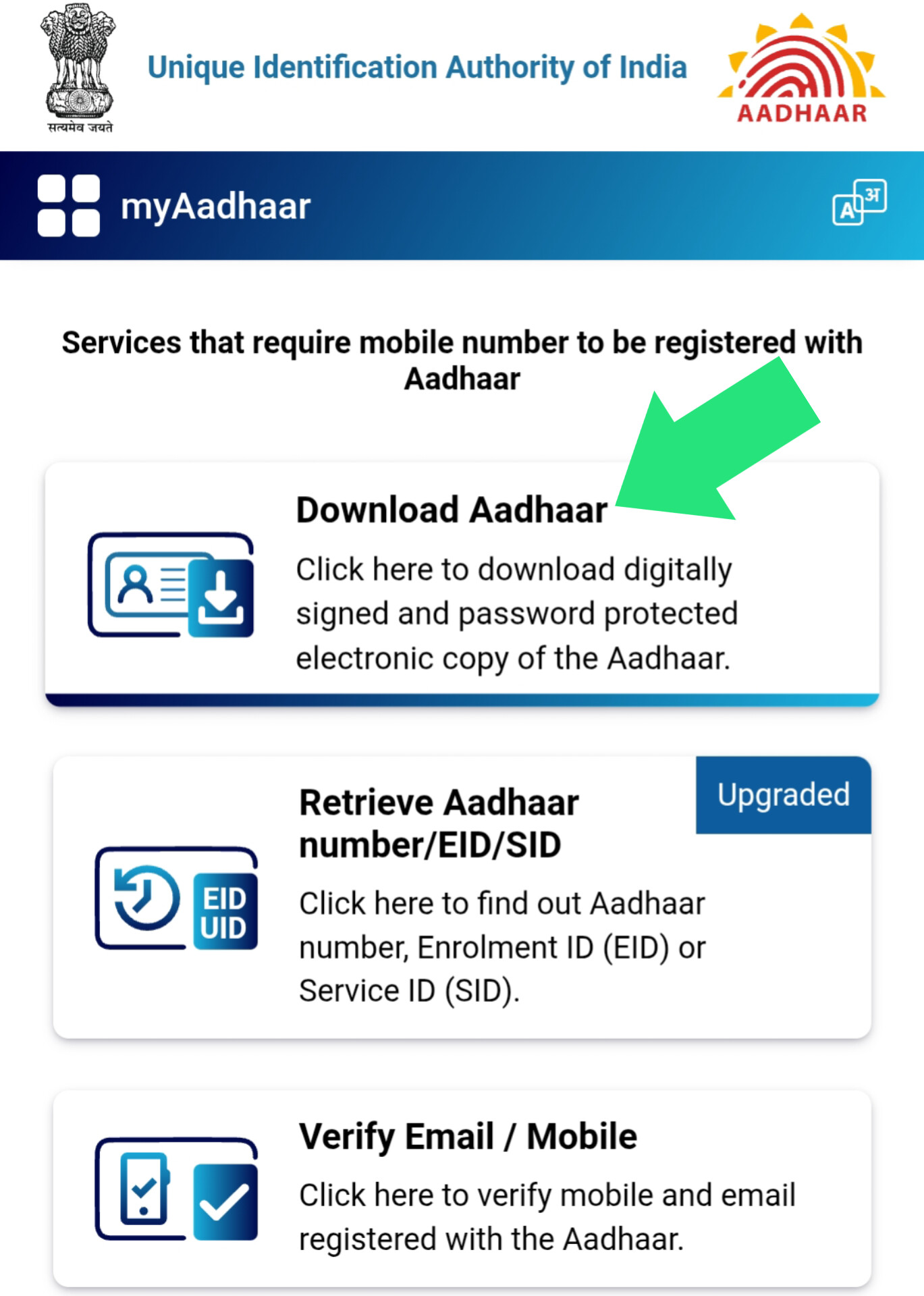 Step 1: Visit the official UIDAI myAadhaar portal.
Step 2: Enter Identification Details
Select your preferred identification method:
- Aadhaar Number: Enter your 12-digit UID.
- Enrolment ID: Enter the 28-digit EID (Enrollment No + Date Time).
Enter the Security Captcha carefully.
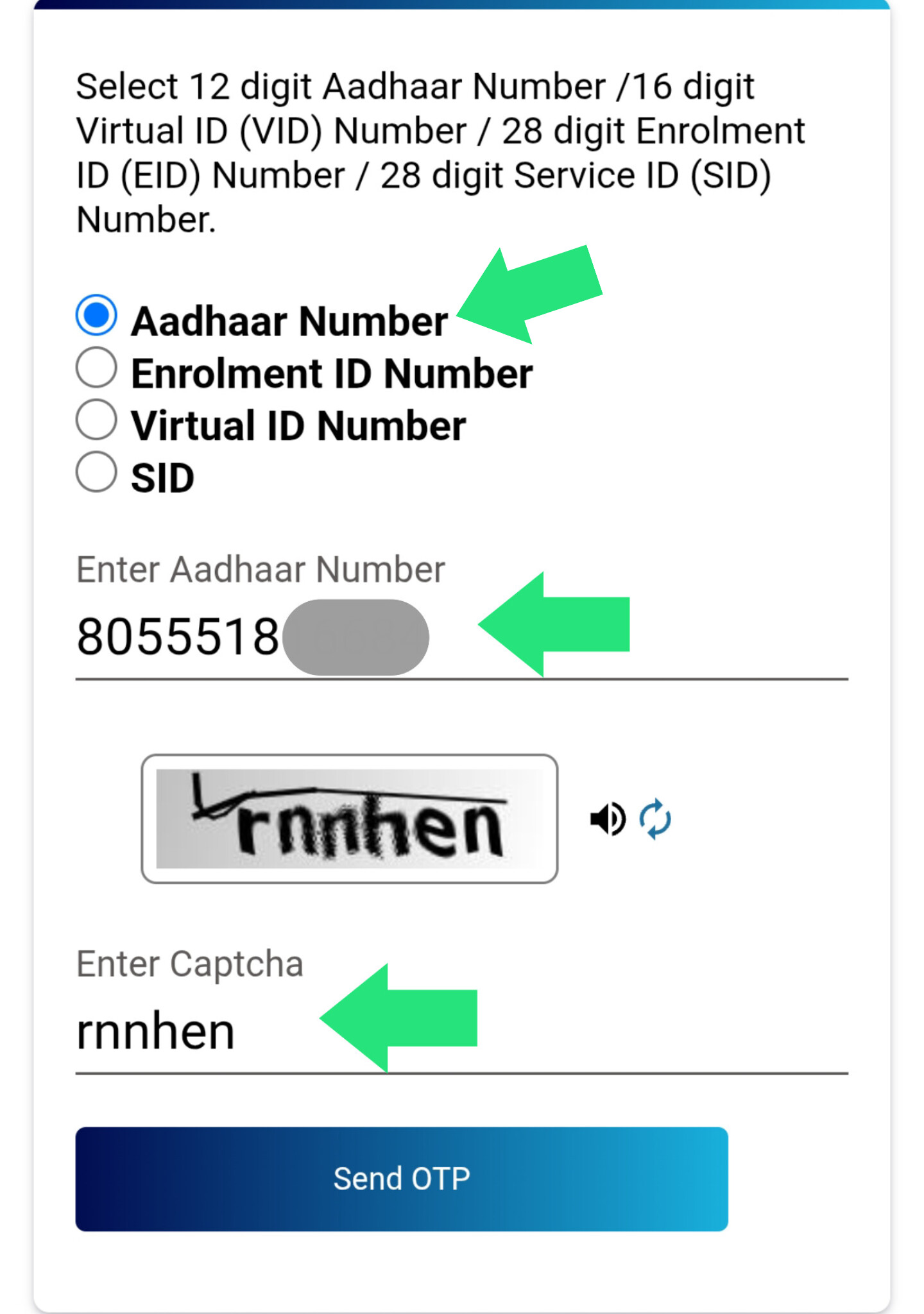 Step 2: Enter your 12-digit Aadhaar Number and Captcha.
Step 3: Request OTP
Click on the "Send OTP" button. A One-Time Password will be sent to your registered mobile number linked with Aadhaar.
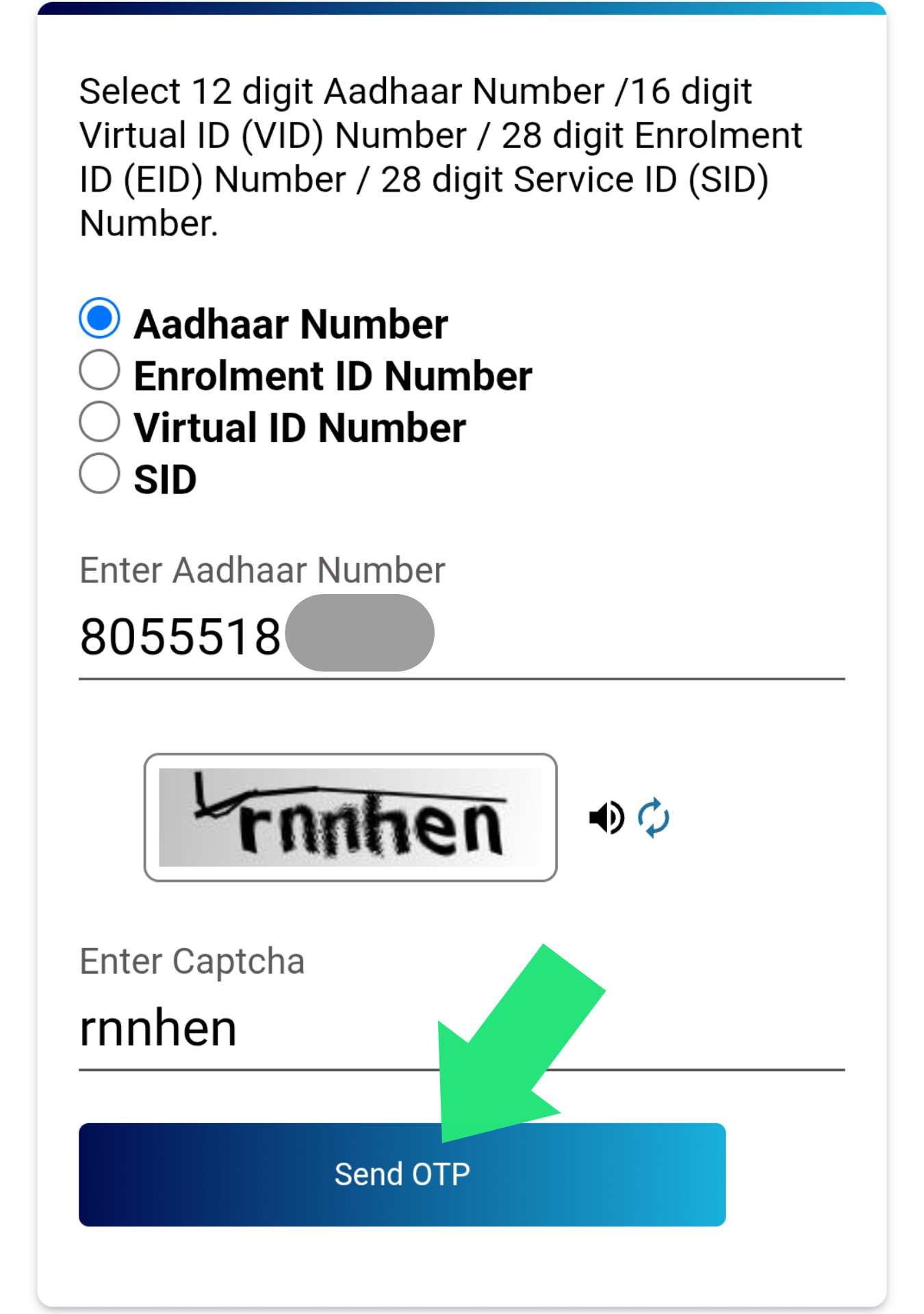 Step 3: Click 'Send OTP' to receive verification code.
Step 4: Verify & Download
Enter the 6-digit OTP received. If you wish to hide the first 8 digits of your Aadhaar for privacy, check the "Do you want a Masked Aadhaar?" box. Click "Verify & Download".
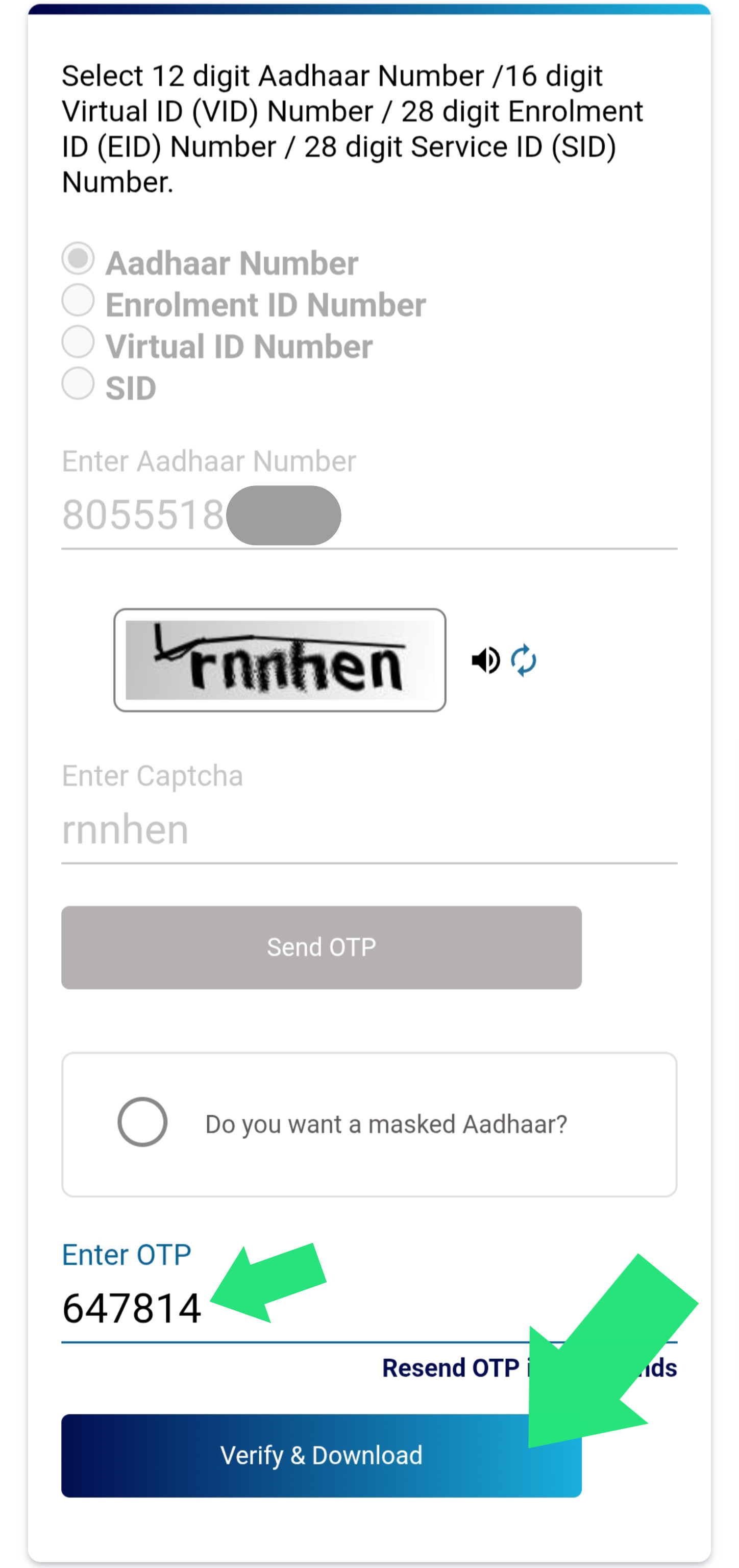 Step 4: Enter OTP and click 'Verify & Download'.
Step 5: Open PDF with Password
Your e-Aadhaar will be downloaded as a PDF file. To open it, you need a password (explained below).
 Step 5: Download successful. Use password to open PDF.
Method 4: Retrieve Lost Aadhaar/EID
If you have lost your physical card and don't remember your Aadhaar number, use this method:
Retrieve EID/UID NowStep 1: Go to "Retrieve EID/UID"
Visit the myAadhaar portal and click on "Retrieve EID/UID".
Step 2: Enter Personal Details
Enter your full Name (as per Aadhaar), Registered Mobile Number (or Email Address), and Captcha.
Step 3: Get Details via SMS
Click "Send OTP". Verify the OTP. Your Aadhaar Number (UID) or Enrolment ID (EID) will be sent to your registered mobile number via SMS immediately. You can then use Method 3 to download the card.
e-Aadhaar PDF Password Format
The downloaded PDF file is password protected. The password combination is:
First 4 Letters of Name (in CAPS) + Year of Birth (YYYY)
- Example 1: Name is RAJESH, Year is 1985
Password: RAJE1985 - Example 2: Name is S. KUMAR, Year is 1990
Password: S.KU1990
Order Aadhaar PVC Card
If you need a durable, wallet-sized plastic card, you can order the official Aadhaar PVC Card from UIDAI.
| Service | Fee (Inclusive of GST & Speed Post) |
|---|---|
| Order PVC Card | ₹75.00 |
Features of PVC Card:
- Secure QR Code
- Hologram
- Micro text
- Ghost Image & Guilloche Pattern
- Weatherproof and durable
Click here to Order PVC Card →
Frequently Asked Questions
What is the fee for downloading e-Aadhaar?
Downloading e-Aadhaar from the official UIDAI website is completely FREE. You can download it as many times as needed.
Can I download Aadhaar without a registered mobile number?
No, OTP verification sent to the registered mobile number is mandatory for downloading e-Aadhaar. However, you can order a PVC card using a non-registered mobile number.
What is Face Authentication?
UIDAI offers an "Aadhaar FaceRD" app on Android. This allows you to authenticate your identity by scanning your face instead of using OTP, useful if you have network issues.
What is the fee for Aadhaar PVC Card? The fee is ₹75, which includes printing, GST, and Speed Post delivery charges to your address.
Helpline & Support
For official queries related to Aadhaar, contact UIDAI directly:
| Service | Contact Details |
|---|---|
| UIDAI Toll-Free | 1947 |
| UIDAI Email | help@uidai.gov.in |